Home Network Health Check Pack
Know where your home network stands, and what to fix first. Answer up to 35 questions that adapt to your home and get a personal report on your own device, plus a fillable Home Tech Binder to keep your home tech in one place.
Home tech, made simple. One-time payment, no subscription. Checkout is on Payhip.
- Up to 35 questions that adapt to your home
- Works offline
- Private: your answers are not sent anywhere
- Fillable, printable binder
Why people use it
A report that fits your home
Four quick questions shape the rest. No cameras means no camera questions and no camera section in your report.
Free fixes first
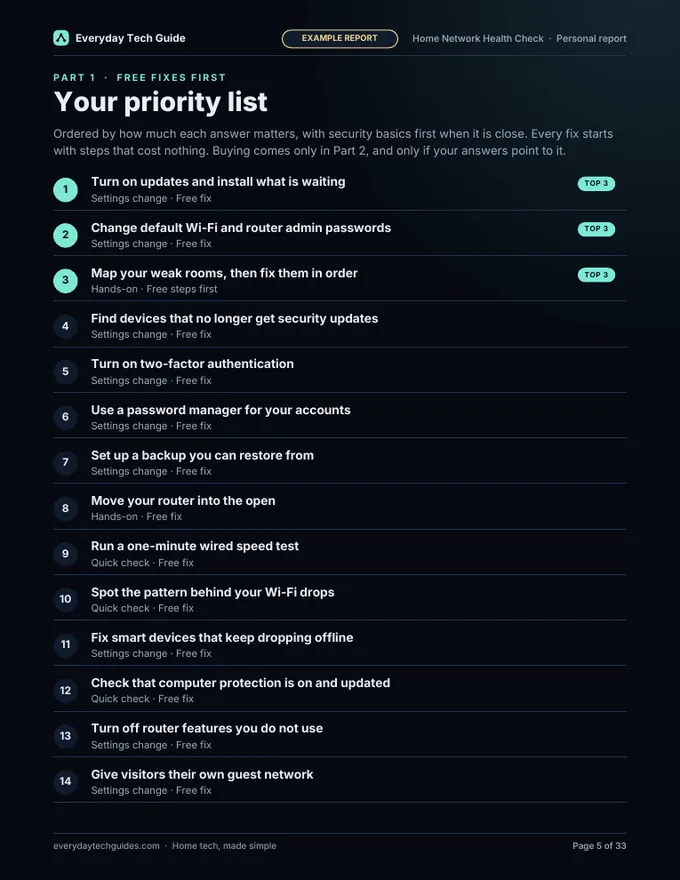
Your fixes are in priority order with steps, and free fixes come before anything you might buy.
Private and offline
The builder runs on your device. No internet needed, no account, and your answers are not sent anywhere.
Everything in one place
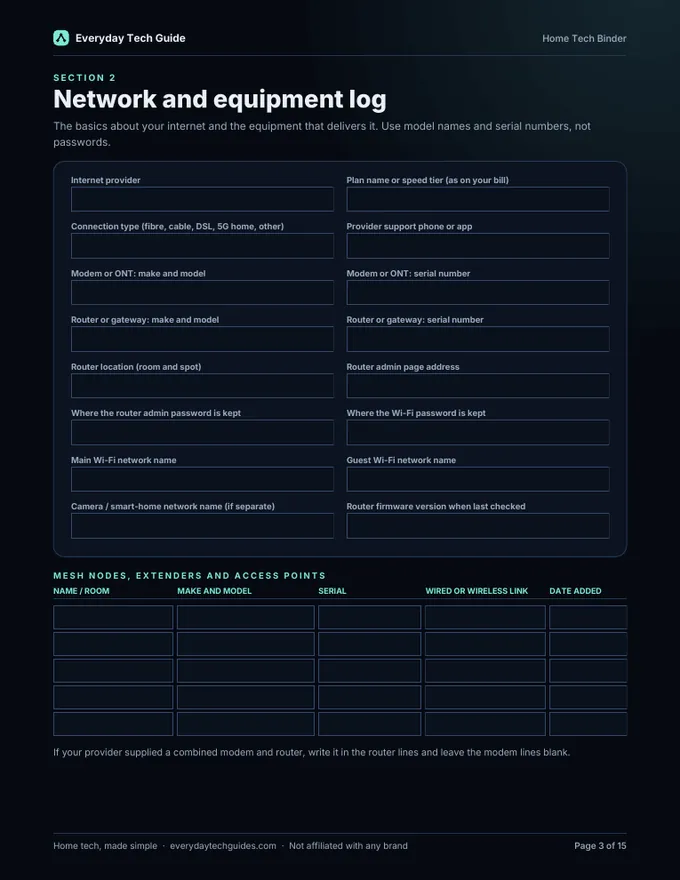
A 15-page fillable binder for your equipment, devices, settings, maintenance and warranties, with a printable version.
What’s inside
1. Report builder (opens in your browser, works offline)
Start with 4 quick questions about your home (cameras, other smart devices, extenders or mesh, and visitors on your Wi-Fi), and choose whether to add the optional Security tools check. Then answer up to 35 questions: 25 about your Wi-Fi, security, smart home devices and upkeep, plus 10 more if you add the Security tools check. It builds a personal PDF report with:
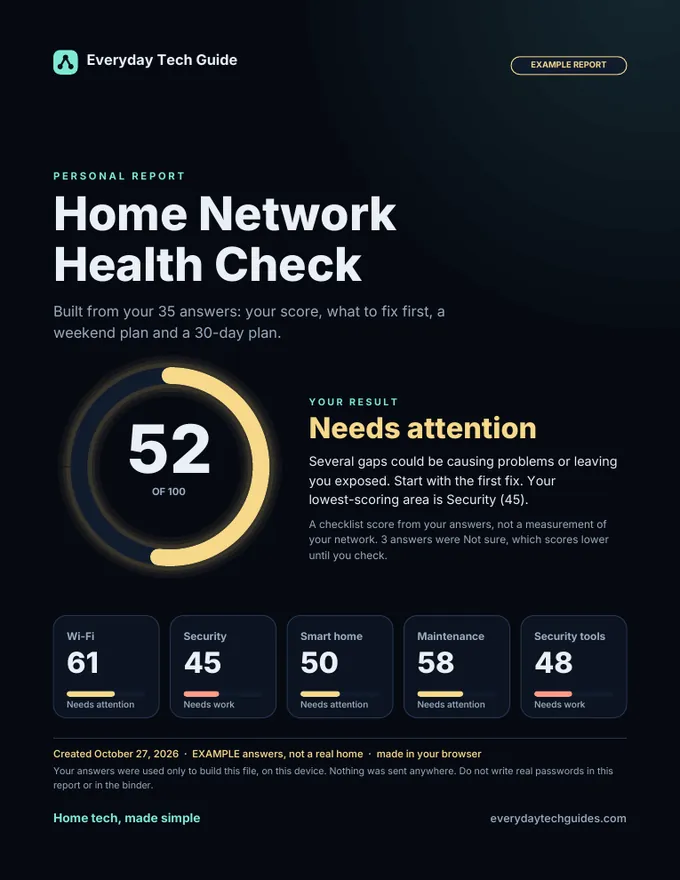
- your overall score and a score for each area (Wi-Fi, Security, Smart home, Maintenance, and Security tools if you add it)
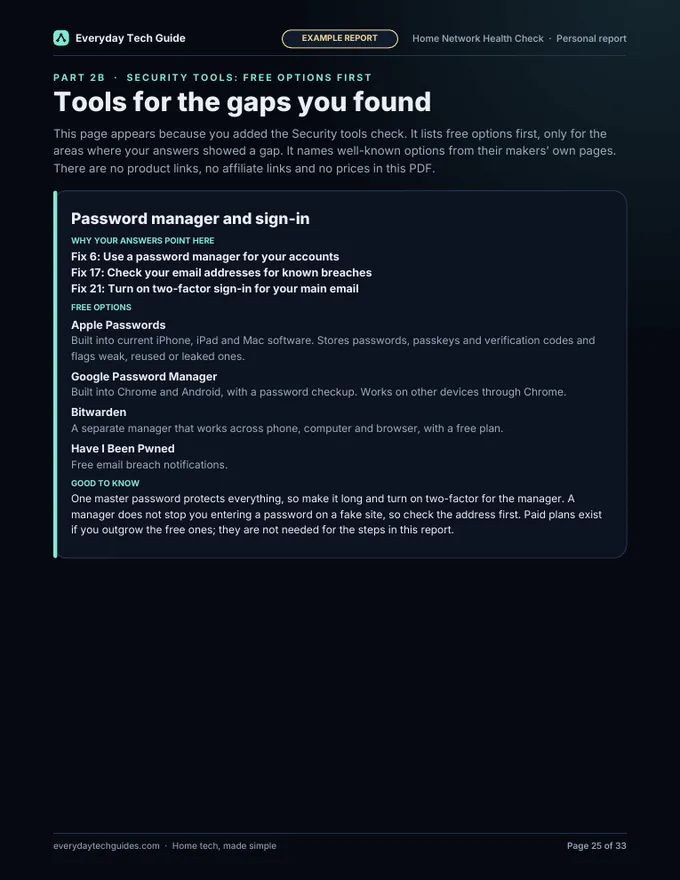
- a Security tools section (optional, see below)
- the fixes that apply to you, in priority order, free fixes first, with steps
- a weekend plan and a 30-day plan
- a short “where buying may help” section, shown only when your answers point to it
- a habits page to keep things healthy
2. Home Tech Binder (fillable and printable PDF)
15 pages to keep your home tech in one place: Health Check results, network and equipment log, device inventory, accounts and logins record (a template: you note where passwords are kept, never the passwords), router settings checklist, maintenance log, warranty and serial tracker, emergency contacts, yearly home-tech calendar, and notes. Two versions are included: a dark one for screens and a light one for printing.
Also included
A sample report built from made-up answers, so you can see what the report looks like before you use it, and a START-HERE.txt.
A look at the sample report and binder
These pages come from the sample report (made-up answers, labelled EXAMPLE) and the binder.
The optional Security tools check
If you add it, you answer 10 more questions and your report gains a Security tools section. It covers password managers, backups, computer protection, DNS filtering and a device list with end-of-support dates, and it names free options first. Examples include Bitwarden, the Apple and Google password managers, Quad9 or Cloudflare family DNS, Microsoft Defender, Time Machine and Windows Backup. Suggestions are not independently tested, and we are not affiliated with any of them. Our free guides go deeper on the basics: see our Home network security hub.
How it works
- Download the zip and unzip it.
- Double-click Report-Builder.html to open it in a current browser. We tested it in Chrome; other current browsers should work but were not tested.
- Answer the quick questions, then up to 35 that fit your home, press “Build my PDF report”, and save the PDF.
- Open the binder PDF in a PDF app to fill it in, or print the light version and write by hand.
Free Health Check or the Pack?
| Free Health Check (on this site) | Health Check Pack | |
|---|---|---|
| Questions | 25 | Up to 35, adapting to your home, with an optional Security tools check |
| Result | Score, a score for each area, top 3 fixes and a weekend plan in your browser | A personal PDF report with every fix that applies to you in priority order with steps, plus weekend and 30-day plans |
| Binder | Not included | 15-page fillable and printable Home Tech Binder |
| Cost | Free, no email needed | $12, one-time |
Try the free Health Check first. It is a good way to see whether the Pack is for you.
Honest limits
- The score is a checklist based on your answers. It is not a scan or measurement of your network, and it does not test your equipment.
- Product and tool suggestions in the report are not independently tested, and we are not affiliated with any of them.
- The binder’s accounts section is a record template. Do not type real passwords into it; use a password manager. Anyone who can open your saved files can read what you typed, so keep them somewhere safe.
- Binder fields are standard PDF form fields. They work in common PDF apps, but some mobile or in-browser PDF viewers handle forms less well. If a field will not accept typing, try a desktop PDF app or print the light version.
- This is general home-tech guidance, not professional IT, security or legal advice. We make no promise about results, savings or income.
- Not affiliated with any router, camera or device brand. The files contain no affiliate links and no ads.
Frequently asked questions
What exactly do I get?
One zip download with a report builder you open in your browser, a fillable and printable Home Tech Binder (a dark version for screens and a light version for printing), a sample report built from made-up answers, and a START-HERE.txt.
Does it scan or test my network?
No. The score is a checklist based on your answers. It is not a scan or measurement of your network, and it does not test your equipment.
Does it work offline? Is my information sent anywhere?
The report builder is a single file that runs on your device. It does not need an internet connection, there is no account, and your answers are not sent anywhere. You do need to be online to buy and download the pack.
Which browser do I need?
A current browser. We tested it in Chrome; other current browsers should work but were not tested.
What if I have no cameras, or no computers?
Anything that does not apply to you is skipped. No cameras means no camera questions and no camera section in your report, and no computers means no computer protection questions.
What is the optional Security tools check?
It adds 10 questions (25 questions become up to 35) and a Security tools section in your report covering password managers, backups, computer protection, DNS filtering and a device list with end-of-support dates. It names free options first, such as Bitwarden, the Apple and Google password managers, Quad9 or Cloudflare family DNS, Microsoft Defender, Time Machine and Windows Backup. These suggestions are not independently tested.
How is it different from the free Health Check on this site?
The free Health Check runs on this website and gives you a score, a score for each area, your top 3 fixes and a weekend plan. The pack builds a downloadable personal PDF report with the fixes that apply to you in priority order with steps, a 30-day plan and an optional Security tools section, and it adds the fillable Home Tech Binder.
Is the binder safe for passwords?
No real passwords go in it. The accounts and logins section is a record template: you note where each password is kept, never the password itself. Use a password manager for the passwords. Anyone who can open your saved files can read what you typed, so keep them somewhere safe.
Do the binder fields work on a phone or tablet?
They are standard PDF form fields. They work in common PDF apps, but some mobile or in-browser PDF viewers handle forms less well. If a field will not accept typing, try a desktop PDF app or print the light version.
Does the pack contain affiliate links?
No. The files contain no affiliate links and no ads. The report points to our free guides on everydaytechguides.com, and some of those guides contain labelled affiliate links, which we explain on our affiliate disclosure page. The pack itself is our own product.
Where do I pay, and who handles my payment?
The buy button opens our store page on Payhip, which handles checkout and delivers the download. You leave this site to pay there. Delivery is an instant digital download; nothing is shipped.
Who is it for?
Anyone who wants a clear, calm checklist for their home network and a tidy place to record it. No technical background is needed. If you only want a quick score, the free Health Check may be all you need.
Get the Health Check Pack
Know where your home network stands, and what to fix first. Instant digital download, $12 one-time. No physical item is shipped.
Questions before you buy? Contact us. The buy button opens our Payhip store page in a new tab.