Household Account and Password Rollout Kit
Get everyone in your home set up, and know what to do if something goes wrong.
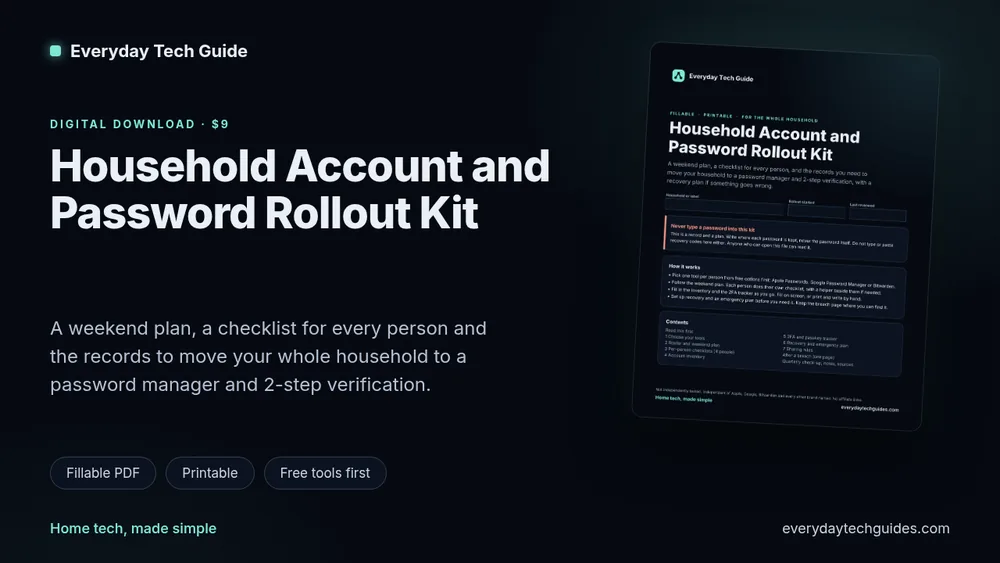
A fillable and printable 23-page kit with a weekend plan, a checklist for each person and the records you need to move your household to a password manager and 2-step verification.
$9, one-time digital download. Fillable PDF in a dark screen version and a light print version. Checkout is on Payhip.
- 23 pages
- Fillable and printable
- Free tools first
- No affiliate links, no ads in the kit
The problem
Most households end up with a mix of reused passwords, a few people on a manager and nobody sure what happens if a phone is lost or an account is locked. Setting it up for everyone at once is easier with a plan and one place to keep the records.
What you get
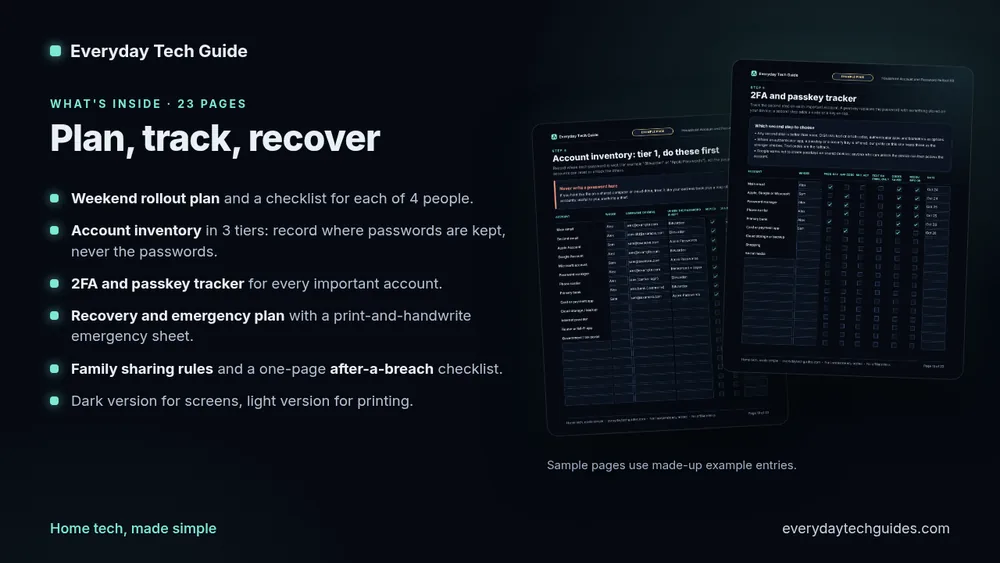
- Choose your tools: free options first (Apple Passwords, Google Password Manager, Bitwarden’s free plan).
- A household roster and a weekend rollout plan with time estimates.
- Four per-person checklists.
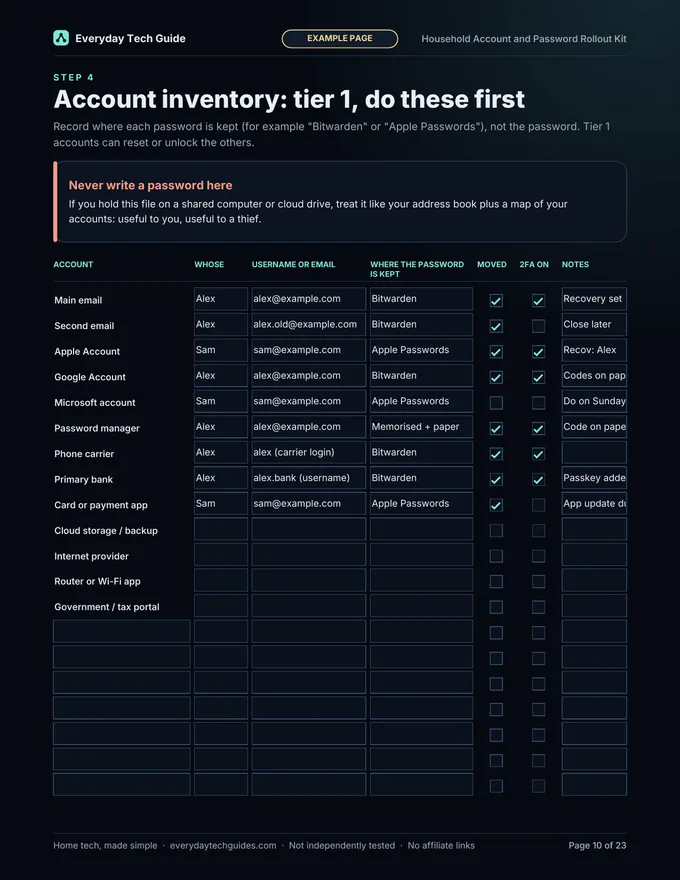
- An account inventory in 3 tiers. You record where each password is kept, never the password.
- A 2FA and passkey tracker.
- A recovery and emergency plan, with a print-and-handwrite emergency sheet.
- Family sharing rules.
- A one-page “After a breach” checklist and an incident log.
- A quarterly check-up page and a Sources page.
See a sample page
This is a page from the kit, filled in with made-up example entries.
How it works
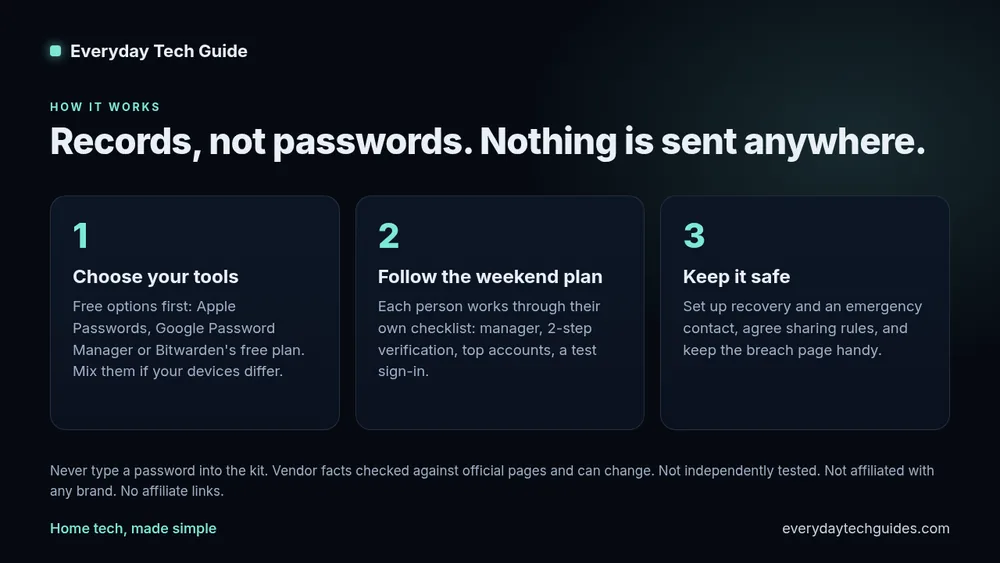
- Download the zip and unzip it.
- Pick a tool for each person and follow the weekend plan.
- Fill in the inventory and tracker. Do it on screen or print the light version.
- Set up recovery, agree the sharing rules and keep the breach page handy.
Honest limits
- It is a plan and a set of records, not a security audit. It does not scan or test anything.
- Never type passwords or recovery codes into it. Keep the saved file somewhere safe.
- Facts about Apple, Google and Bitwarden tools and CISA and FTC guidance were read from their official pages on 28 October 2026 and can change. We have not independently tested the tools. We are not affiliated with them.
- Bitwarden’s Emergency Access is a premium feature, so the kit covers other routes too.
- The breach page follows US FTC guidance.
- Some mobile or in-browser PDF viewers handle form fields less well. A desktop PDF app or the print version always works.
- General guidance, not professional IT, security or legal advice.
- No affiliate links and no ads in the kit.
Free guides to read first
Also from us: the Home Network Health Check Pack, a personal home network and security report plus a fillable binder.
Refunds and support
If the kit doesn’t open or work as described, email [email protected] within 14 days of purchase and we’ll fix it or refund you. Digital downloads can’t be taken back after delivery. We reply within 2 business days.
Get the Rollout Kit
Get everyone in your home set up, and know what to do if something goes wrong. Instant digital download, $9 one-time. No physical item is shipped.
Home tech, made simple.