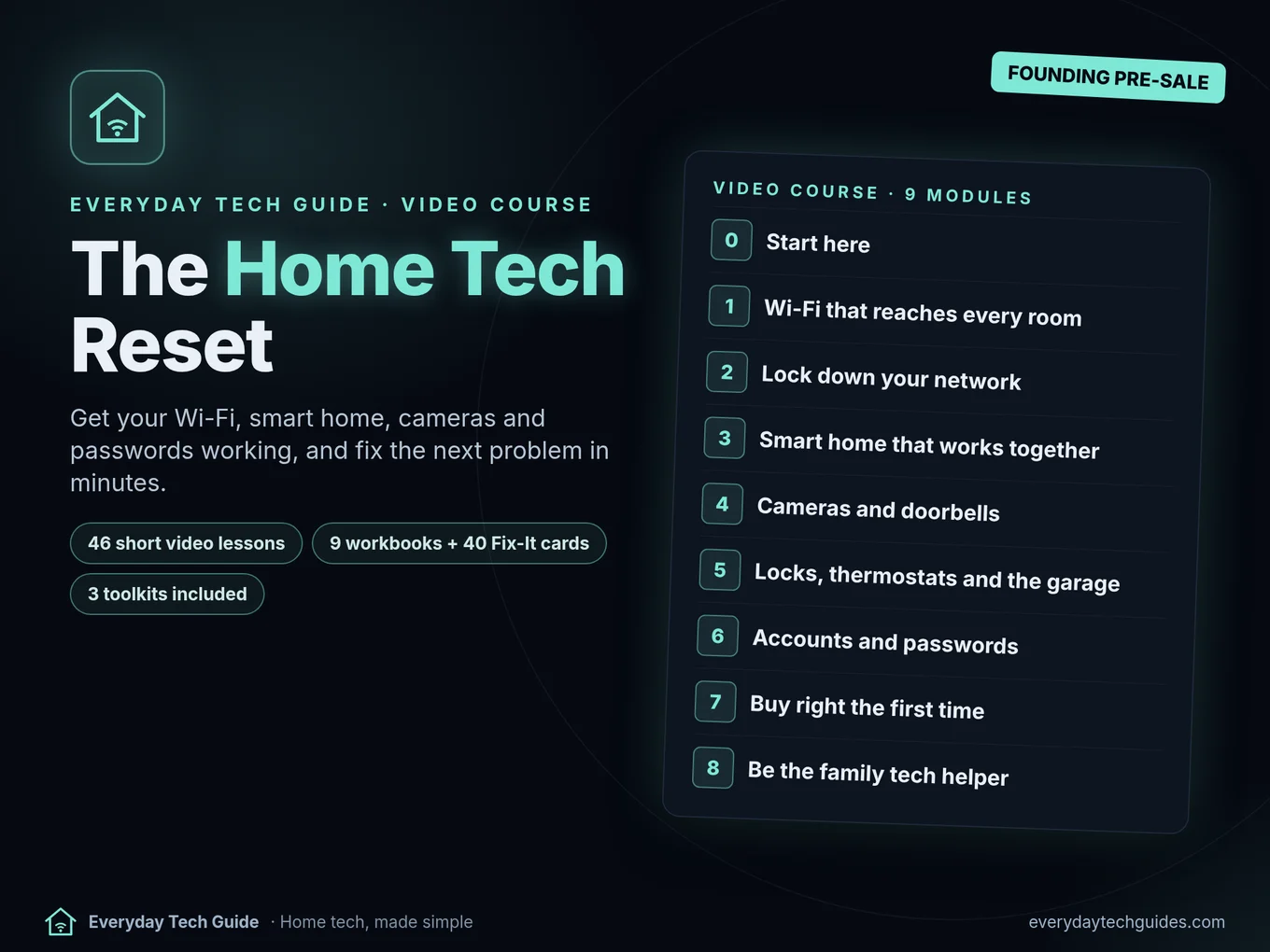
The Home Tech Reset
Get your Wi-Fi, smart home, cameras and passwords working, and fix the next problem in minutes. A self-paced video course for the person who keeps the home’s tech running.
Home tech, made simple. Founding price $79 until Nov 30, then $129. One-time payment, 30-day full refund. Checkout is on Payhip.
- 46 short video lessons, about 4 hours
- 9 workbooks + 40 Fix-It cards
- 3 toolkits included
- Lifetime access
Who it’s for
The household tech person
You’re the one who gets called when the Wi-Fi drops or the doorbell camera goes offline.
The one who helps parents
Module 8 covers setting up a parent’s device and helping from a distance, safely.
No tech background needed
Every lesson starts with a real problem and ends with steps you can follow.
Mixed gear is fine
eero, Deco, Orbi, Nest, Ring, Blink, Wyze, Kasa, Hue, Alexa and more. We’re not affiliated with any of them.
What’s inside
- 46 short video lessons (about 4 hours) built around real problems.
- A workbook for every module and 40 one-page Fix-It cards.
- Checklists for new router day, a Wi-Fi password change, before you drill, cold weather, before you buy, a parent’s new device and gift-opening day.
- All 3 of our toolkits: the Health Check Pack ($12), the Password Rollout Kit ($9) and the Inventory & Warranty Tracker ($6). That’s $27 if bought separately.
- Written answers to questions under any lesson. No live calls.
The 9 modules
Module 0: Start here
Know where your home tech stands in 10 minutes
- Welcome: how this course works: Know the path, the workbooks and how to ask questions
- Your 10-minute Home Tech Health Check: Get a score and a fix list for your home
- Start your Home Tech Binder: Every device, login location and warranty in one place
Module 1: Wi-Fi that reaches every room
Find and fix weak spots without buying the wrong thing
- How your home network fits together: Tell modem, router, mesh and extender apart
- Map your dead zones: A room-by-room signal map of your home
- Extender, mesh or a wire?: Pick the right fix for your house
- What your router lights mean: Read eero, Deco, Orbi and Nest lights
- Wi-Fi keeps dropping: the 6-step fix: Stop random disconnects
- Garage, backyard and the far bedroom: Get signal where it matters outdoors
- New router day without the chaos: Swap routers without breaking devices
Module 2: Lock down your network
Close the common security gaps in one evening
- Router admin, updates and the default password: Your router is locked and up to date
- A separate network for smart devices: Guest/IoT network set up safely
- Changing the Wi-Fi password without chaos: Rejoin every device in order
- When the power goes out: Keep internet and cameras up in an outage
- Back up what matters (3-2-1): Photos and files backed up 3 ways
Module 3: Smart home that works together
Devices that connect the first time and keep working
- Matter, Thread and hubs explained: Know what your devices need
- Does it need a hub?: Avoid buying the wrong plug or bulb
- The 2.4 GHz setup fix: Get stubborn plugs and bulbs to join
- Lights: bulbs, switches, or both?: A lighting setup that survives the wall switch
- Alexa or Google stopped answering: Get a voice assistant back online
- "No Response" and "Unreachable": Fix Hue, Apple Home and Thread devices
- Routines that actually help: Sunset lights, away mode, good night
Module 4: Cameras and doorbells
Cameras that stay online, record where you want, and stay private
- Battery or plug-in? Decide first: Pick the right camera type for each spot
- Before you drill: placement and signal: Mount once, in the right place
- Where does your video go?: Choose local or cloud storage
- Secure your cameras: Accounts, 2FA and sharing done right
- Camera offline: the playbook: Bring Ring, Blink, Wyze, eufy and Nest back
- Will this doorbell work at my door?: Check wiring and chime before you buy
Module 5: Locks, thermostats and the garage
The devices that matter when they fail
- Smart lock won't connect: Fix Wi-Fi and bridge issues
- Thermostat offline or blank: Get heat and control back
- Garage opener won't join Wi-Fi: Get the app working
- Cold-weather checklist: Batteries, cameras and Wi-Fi ready for winter
Module 6: Accounts and passwords for the household
Everyone's logins safe and recoverable
- A password manager for the whole household: Pick and set one up
- 2FA and passkeys without lockouts: Turn on 2FA with a recovery plan
- Roll it out to your family: Everyone moved over in a week
- When a device company shuts down: Know what still works and what to replace
- Who owns which account?: Account map in your binder
Module 7: Buy right the first time
Spend once on gear that works in your home
- The 5-minute before-you-buy check: Wi-Fi, wiring and ecosystem confirmed
- Picking a mesh system: one rule first: Choose without spec overload
- Cameras with no monthly fee: Know the trade-offs
- Same company, different app: Avoid duplicate ecosystems
- Renting? A smart home that leaves with you: No-drill, no-wiring setup
Module 8: Be the family tech helper
Help others without becoming on-call support
- Set up a parent's new device: A safe, simple setup checklist
- Gift-opening day: new gadget setup plan: Every new gadget set up on Dec 25
- Helping from a distance, safely: Remote help without risky shortcuts
- Your yearly home tech checkup: A 12-month calendar of 10-minute tasks
Release schedule
- Nov 27: Modules 0, 1 and 2
- Dec 4: Modules 3 and 4
- Dec 11: Modules 5 and 6
- Dec 18: Modules 7 and 8, so everything is live before the holidays
Releases are by 9:00 AM US Eastern. If the full course isn’t released by Dec 31, you can ask for a full refund.
How this course is made
Lessons are drafted with AI tools and checked against our published guides and the makers’ own instructions. The voiceover is AI-generated (Kokoro TTS), and every lesson says so on screen. There’s no presenter on camera; lessons are animated walkthroughs.
Common questions
Why a pre-sale?
It tells us whether enough people want the course before we make all of it. If we decide by Nov 14 not to make it, we refund every pre-order in full by Nov 16.
What if my gear isn’t covered?
Each lesson teaches the pattern behind the fix as well as the brand steps. Ask under the lesson and we’ll point you to the right steps.
Is there live help?
No live calls or coaching. Help is in writing, under any lesson or by email at [email protected]. We reply within 2 business days.
Is there a payment plan?
From Dec 1, at the $129 price, you can pay in 3 payments of $45. The $79 founding price is a single payment.
How long do I have access?
Lifetime, including updates.
Where do I pay?
The button opens our Payhip page, which handles checkout and hosts the course.
Pre-order The Home Tech Reset
$79 founding price until Nov 30, then $129. Modules 0–2 open Nov 27.
30-day guarantee: if it isn’t for you, email [email protected] within 30 days of purchase (or of Nov 27 for pre-orders) for a full refund. No questions asked.