Health Check Pack Walkthrough
The Health Check Pack has two tools, and it is easy to wonder where to begin. Answer 4 quick questions and get a short step-by-step path through the pack: what to do first, rough times, what to have on hand, what you can skip and where the Report Builder fits.
Have the pack? Follow your path from step 1. Still deciding? This shows what you would do with it. See the Health Check Pack · Try the free Health Check
What is in the pack
Facts here come from the pack’s own files. The download is one zip.
Report Builder
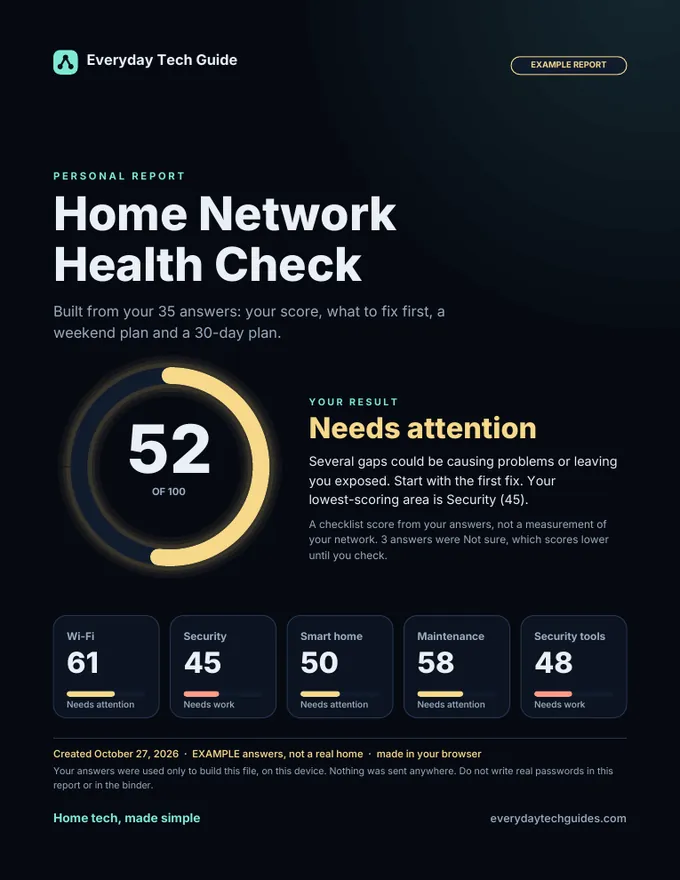
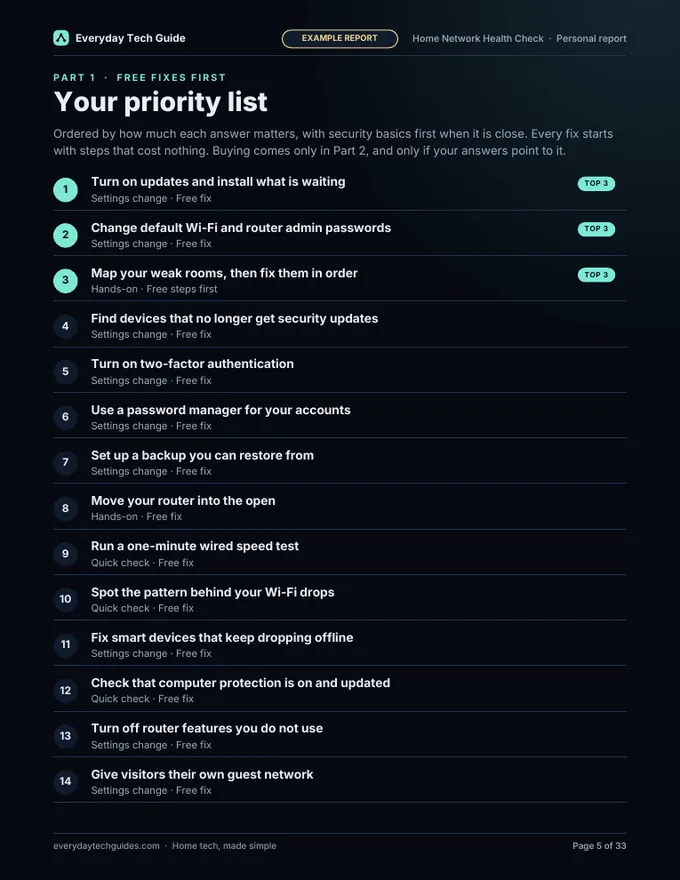
Report-Builder.html opens in your browser and works offline. You answer 4 quick questions, choose whether to add the optional Security tools check, then up to 35 questions. It builds a personal PDF report with your score, a score for each area, your fixes in priority order (free first), a weekend plan and a 30-day plan.
Home Tech Binder
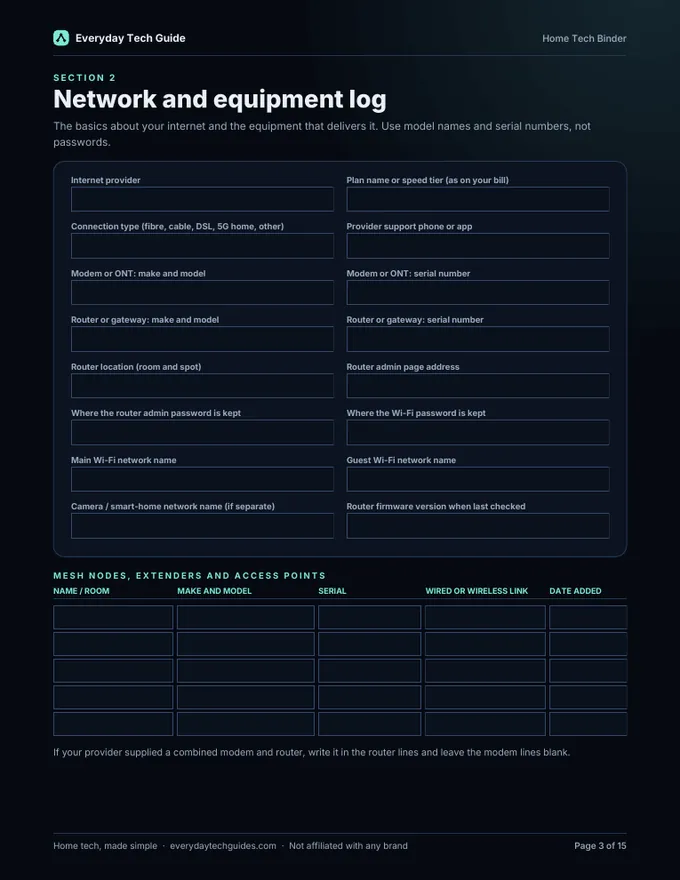
15 fillable pages, in a dark version for screens and a light one for printing. Section 1 Health Check results, 2 Network and equipment log, 3 Device inventory, 4 Accounts and logins record, 5 Router settings checklist, 6 Maintenance log, 7 Warranty and serial tracker, 8 Emergency contacts, 9 Yearly home-tech calendar, 10 Notes.
Sample report
Sample-Report-EXAMPLE.pdf is built from made-up answers, with the Security tools check switched on, so you can see what to expect.
START-HERE.txt
A short note on what is in the folder and what to read first.
Where the Report Builder fits
- Open the Report Builder first. It makes your personal report, and the report decides your fix order.
- Log the score in binder section 1, then do your top one or two fixes.
- Use the rest of the binder to record what you have and what you changed.
- Finish with the re-check at the end of your 30-day plan: take the free Health Check again and compare scores.
Get the Health Check Pack
Know where your home network stands, and what to fix first. Instant digital download, $12 one-time. No physical item is shipped.
The buy button opens our Payhip store page in a new tab. Looking after the accounts for your whole household? The Household Account and Password Rollout Kit ($9) is a separate, optional download.
Questions
Do I need the pack to use this page?
No. This walkthrough is free. It shows the order we suggest for using the pack, so you can see what you would do before you buy.
Does this page score or scan my network?
No. It does not test anything and it does not give you a score. The score comes from the pack’s Report Builder, and it is a checklist based on your answers, not a measurement of your network.
Is anything I tick sent anywhere?
No. The path is built in your browser from your answers. Nothing is sent or stored, and closing the tab clears it.
How were the time estimates made?
They are our own rough estimates, not measured. Your devices, your router and the fixes in your report change them.
What if my home changes?
Change your answers and the path updates. The pack’s Report Builder asks about your home each time you open it, so you can build a fresh report after changes.
Need help?
Email [email protected] and tell us which step you are on and what you see. You can also read how to contact us.